The Backrooms With Guns Entities: Enemy Survival Guide
Learn more about The Backrooms With Guns entities, the Level ! horde, boss badges, and game modes so you know when to fight and when to run for the exit.
Jump to
Which Entities Will You Encounter?
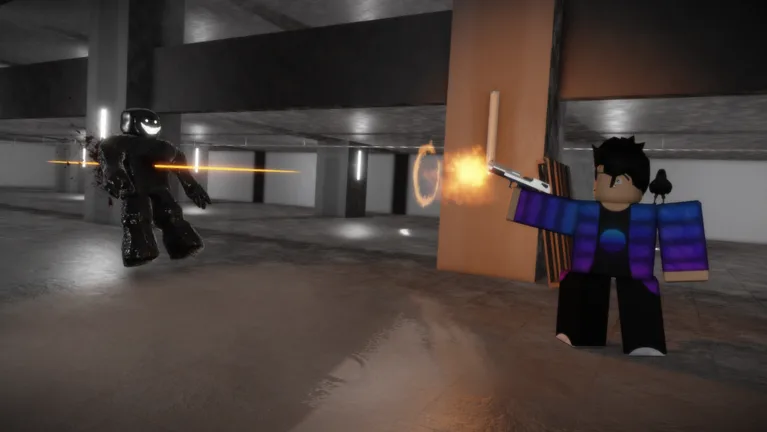
The Backrooms With Guns entities include Hounds, Skin-Stealers, Insanities, and Smilers in the Level ! chase. This encounter strips away your weapons, making escape your objective against the pursuing horde. Recognizing that change in rules keeps you from trying to fight when you need to run.
These four enemy types make up the horde in Level !, also called Level Run for Your Life! Entering alongside other players does not give you a group to follow: each player enters an isolated version of the level.
The chase combines pursuing enemies with obstacles in a red-lit hallway. Beds and office chairs block your route, while emergency alarms sound throughout the level.
Official page: The Backrooms With Guns (roblox.com)
How to Escape the Level ! Horde
Your route begins before the chase hallway. The Bridges connects to Level ! through a boarded door, and the crowbar needed to get through is in Lurking Danger, leaning against a pillar.
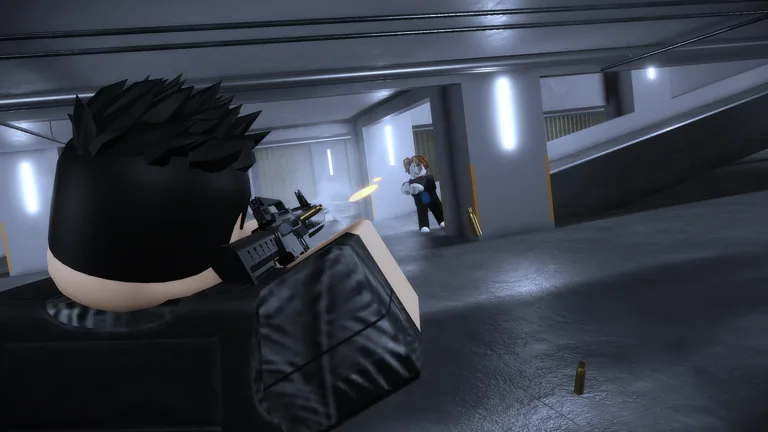 Image: Roblox / Floridoit
Follow this sequence:
- Collect the crowbar in Lurking Danger. Use it to get through the boarded door in The Bridges.
- Walk through the starting hallway. Sprinting is disabled here, and movement is slower than usual. Save your attention for the main hallway ahead.
- Run through the main hallway. Steer around beds and office chairs with tight turns. Jumping is restricted, so maneuver around barriers instead of relying on jumps to clear them.
- Continue through the ending room. The main hallway’s exit does not immediately return you to another level. Use the final door to reach The Lobby.
Your weapons are removed upon entering, leaving the pursuing entities functionally unkillable during this encounter. Keep moving toward the exit instead of stopping to look for a firing opportunity.
How Game Modes Change Entity Combat
Outside the chase’s weapon restrictions, your selected mode determines the basic combat rules. Classic and Survival are PvE modes; PVP centers on fighting other players.
| Mode | Combat rules |
|---|---|
| Classic | PvE with infinite health and ammo |
| Survival | PvE with limited health and ammo |
| PVP | Fight other players |
Choose Classic to play PvE without managing health or ammunition limits. In Survival, conserve ammunition because both resources are limited. Level ! still demands attention to its own encounter rules: arriving with weapons does not let you shoot through its horde.
Returning after Update 1.2? Visit the weapon shops before heading into combat. The new saving system initially hides weapons owned before that update, but your kills remain saved, and you can re-equip your previous weapons for free.
Boss Encounters and Discovery Completion
Update 1.2.0 adds new bosses alongside weapon attachments and wraps. The game’s badges include Boss Defeated, awarded for defeating the boss, and a separate Motion Boss Defeated badge.
For a completion goal beyond combat, work toward Expert, which requires filling every entry in the Discovery. Keep that objective separate from defeating a boss: completing the Discovery requires every entry, while the boss badge rewards a specific victory.
Continue with
 The Backrooms With Guns Miguel: Shop & Unlock GuideFind The Backrooms With Guns Miguel in the Stormy Office, compare all four weapon unlocks, and learn how to recover your gear after the Update 1.2 reset.
More in Entities
See all EntitiesContinue exploring
The Backrooms With Guns All Badges: Complete Checklist
Explore The Backrooms With Guns all badges, from kill milestones to Expert and boss challenges. Track all 21 rewards and plan your completion checklist.
The Backrooms With Guns Nuke Badge: How to Unlock It
Get The Backrooms With Guns nuke badge by finding the Wire Cutter, opening the lobby's cracked wall, and detonating the bomb. See the server restrictions.
Join the community
Official channels for news, updates and player help: